
Review
The Review tab contains all In Progress Additional Forms.
Use the filter to choose the Type of Form, or a specific Form by name.
 TIP Advanced filters allow you to narrow your search by status even further.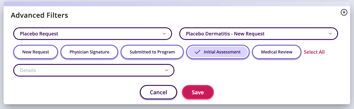
Unselect All may be used to clear the chosen filters.
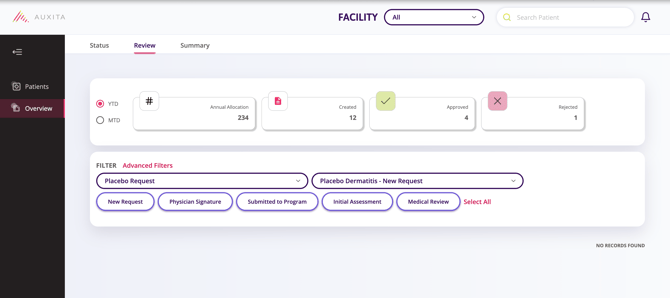
The Statistics at the top of the page can be filtered by YTD (Year to Date) or MTD (Month to Date) and reflect the Type or Form selected.
You’ll see the total number of requests created in the selected time period as well as counts for any requests that were completed in the selected time period.

Changing the time period updates the Statistics.

Summary
The Summary tab only displays Additional Forms that have been moved to the Completed stage.
Similarly, you can choose to filter by Type or Form.
Select the Type and/or Form, then adjust the timeframe using Year, Month (including “Full Year”), or quarterly options (Jan–Mar, Apr–Jun, Jul–Sep, Oct–Dec). All metrics update to match your selection.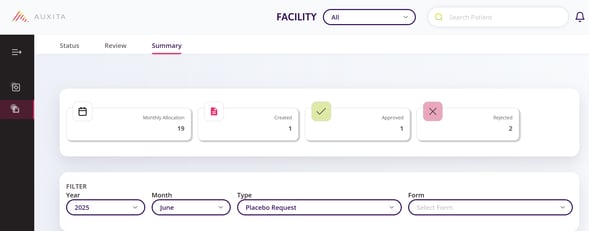
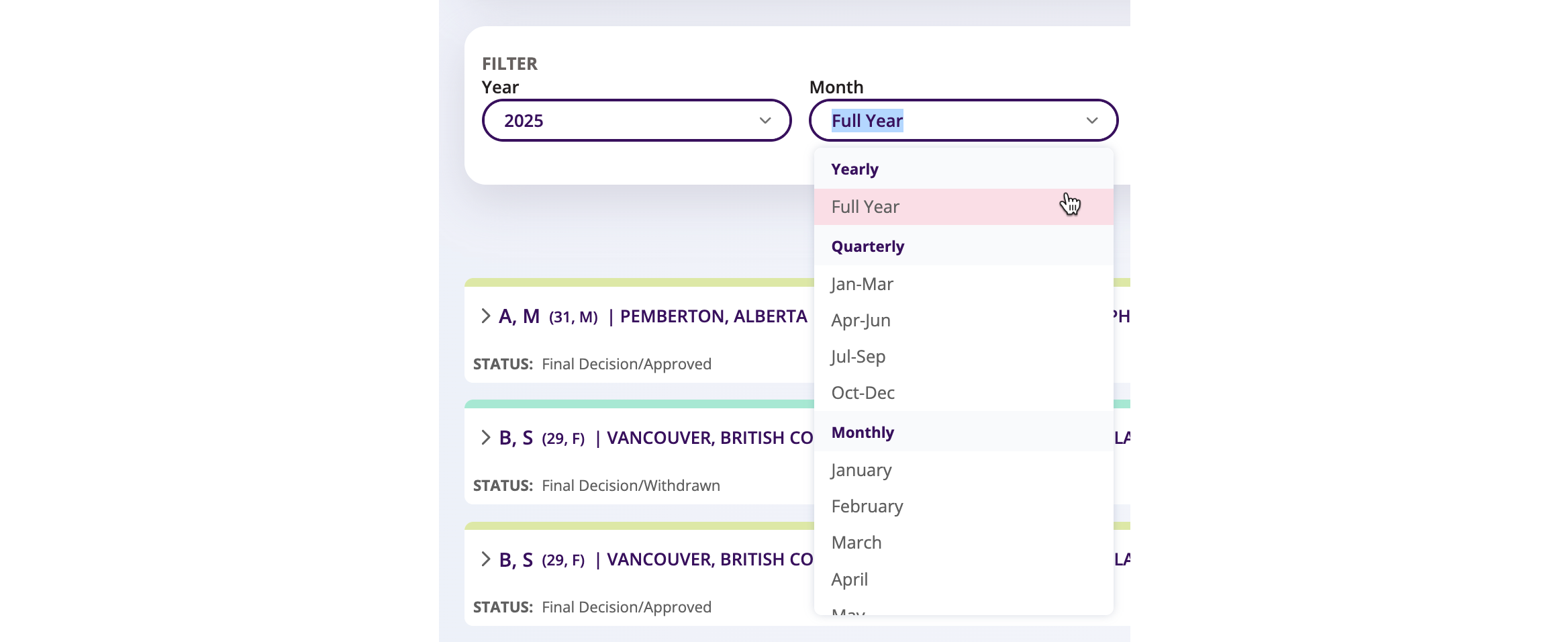
Within the Statistics at the top of the page, you will see the total number of requests created in the selected time period, as well as counts for any requests that were completed in the selected time period, reflective of the Type or Form selected.
Changing the time period updates the Statistics.
For more information on the Summary Cards within the Review and Summary tabs, please see: Understanding Summary Cards for Additional Forms